SEO friendly web design techniques
Ranking well is not just about what you write, it is about how your site is built.
Most SEO guides focus on content and keywords. What they often miss is how much design affects search performance. They don’t talk about how a bad design can quietly hurt a site, or how a good design can help it. That is why SEO isn’t just something you add at the end, it starts with how the page is built.
Most clients are surprised to hear that many SEO improvements come from design decisions that most SEO audits never look at.
Structure is not just visual, it is how Google reads your page
Designers think about hierarchy based on what people see first. Search engines look at hierarchy based on the code and heading tags. These two should match, but often they don’t.
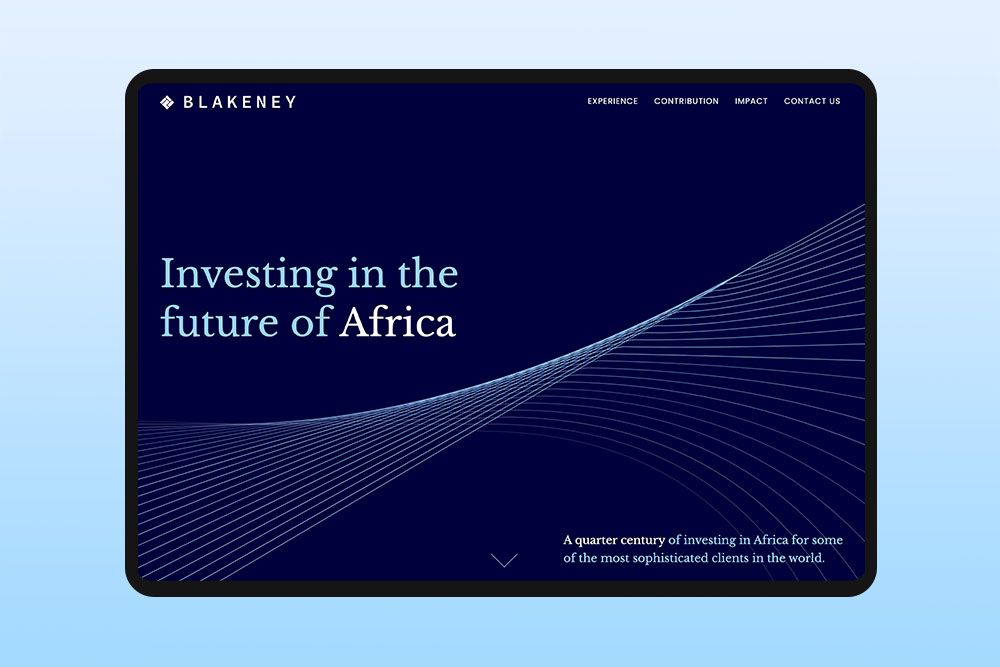
A common case is a page with a big banner image and large text on top. To a visitor, that text looks like the main heading. But for Google, it is just part of an image. The real H1 might be lower on the page in smaller text because the designer wanted things to look cleaner. This creates a mismatch between what users see and what search engines understand.
Fixing this doesn’t mean changing your design for code. It just means using heading tags properly. The H1 should be the main topic of the page and H2s should be used for the main sections. This is really what SEO friendly web design techniques are about, making sure the page makes sense to both people and search engines.
Core Web Vitals are a design problem, not just a developer problem
Google’s Core Web Vitals check three things: how fast a page loads, how fast it reacts when someone clicks or scrolls and how stable the layout is while it loads. Many teams think of this as something to fix later in web development, but it actually starts in the design stage. Performance problems don’t only come from developers, they often start in design.
Largest Contentful Paint (LCP) is about how long it takes for the biggest part of the page to show up. This is often a hero image. If the image is very large and not planned properly, it will load slowly. So this problem often comes from design choices, not just code.
Cumulative Layout Shift (CLS) is about how much the page moves while it loads. This happens when images don’t have set sizes, fonts load in late and push text down, or elements appear after the page already looks finished. These issues usually come from how the design is set up before coding even starts.
Designing for performance doesn’t mean removing things or making the site boring. It just means making small, smart choices early, like setting image sizes, choosing fonts that load well and avoiding things that make parts of the page move or jump while it is still loading.
Readability is an SEO signal you are probably ignoring
Google now checks how easy content is to read, not just whether it is there. Things like font size, line length, contrast and spacing affect how long people stay on a page. When people stay longer and scroll more, it can help how the page ranks.
For example, small text like 14px in light grey on a white background might pass checks, but it is still hard to read. If the text is stretched across a very wide layout, it also becomes tiring to follow. People leave faster and the page does worse in search even if the content is good.
A simple fix is to keep body text around 16-18px on desktop. Keep lines around 60-80 characters so they are easy to read. Add enough space between lines so the text doesn’t feel cramped.
How internal linking is a design decision
Most SEO guides talk about internal links as a content thing, which pages you link to and what words you use for the links. But what they often miss is that design plays a big role in whether people actually click them.
A link hidden in a long paragraph usually gets ignored. But a link that stands out in a different colour or is slightly bold is easier to notice and more likely to be clicked. Links next to a related image or inside a clear content block also get more attention.
This also applies to the whole site. Navigation design affects how easily search engines can move through your site. If your menu is built with heavy JavaScript, has unclear structure, or important pages are hard to find, search engines may not find everything properly. Even if your content is good, this can stop your site from doing well.
Why mobile design matters for SEO?
Most websites work on mobile now, but there is a difference between something that just fits on a small screen and something that was actually designed for it. This matters for SEO because Google looks at the mobile version of your site first.
Designing for mobile first means starting with the small screen and building up from there. If you start with desktop and then try to shrink it down, it often doesn’t work well. You end up with small text, buttons too close together and images that take over the screen and hide the content.
Images matter more than you think
One of the most overlooked SEO friendly web design technique is image optimisation. Alt text alone isn’t enough. Search engines don’t only look at the alt text. They also look at the file name, the text around the image and any captions to understand what the image is about and how it connects to the page. An image called IMG_5502.jpg with a basic alt tag doesn’t say much. But if you give it a clear name, add a short caption and place it next to relevant text, it helps explain the page better.
Where you place images also matters. Images near related headings and text make the content clearer. Random images that don’t match the content don’t add much value.
When SEO and design don’t fully match
This is the part most SEO articles skip because it can be tricky. Sometimes what a client wants visually causes a real SEO problem. A full screen video that slows the page down. A creative menu that search engines cannot read. A headline built as an image instead of text. In most cases, there is a middle ground. But it only works if these things are discussed early.
It comes up more often than you would expect. A fashion brand wants their homepage to feel like a magazine, so they choose a layout with big images and very little text. But search engines need text to understand what the page is about, and without it they have little to work with.
A service business wants to explain what they do with a short animated video and no text. But search engines can’t really read video, so the page doesn’t rank well.
A restaurant puts their menu in a PDF instead of a proper page. But search engines struggle to read PDFs, so they miss out on ranking for specific dishes.
All of these are fair design or business choices, but they can still cause problems for search performance.
Why site structure affects SEO and design?
URL structure and site hierarchy are web design decisions too. Most people think URLs are something a developer sets up later, but they actually come from how the site is planned at the start. A clear site structure means main topics sit at the top, with smaller sections and pages underneath. When this is done well, URLs stay short and easy to understand. When it isn’t, you end up with long, messy links that don’t say much.
Breadcrumbs work in a similar way. They show where a page sits in the site and help both users and search engines understand how everything is connected.
It doesn’t need complicated decisions. It just needs clear structure from the beginning, before the site is built.
Final thoughts about SEO friendly web design techniques
SEO friendly design is not something you check at the end of a project. It is something you think about while you are designing. It means not just focusing on how the page looks, but also on what the code and structure communicate. It also means thinking about performance as you make design choices. The way people use and experience the page affects how search engines understand and rank it.